Go语言中的HTTP编程模型
net/http包架构
1 | 客户端请求 |
核心组件说明
1. 路由 (ServeMux)
- 负责将不同的URL路径映射到对应的处理器
- 可以创建多个路由,但通常一个应用使用一个主路由
2. 处理器 (Handler)1
2
3
4// Handler是一个接口,只需要实现一个方法
type Handler interface {
ServeHTTP(ResponseWriter, *Request)
}
3. 处理器函数 (HandlerFunc)1
2// 函数签名,与ServeHTTP方法相同
type HandlerFunc func(ResponseWriter, *Request)
4. 请求对象 (Request)
- 包含客户端的全部请求信息
- 方法、URL、请求头、请求体等
5. 响应写入器 (ResponseWriter)
- 用于构建和发送响应回客户端
- 可以设置状态码、响应头、写入响应体
创建HTTP服务器的基本流程
标准开发步骤
步骤1:设计API端点1
2
3
4
5GET /students # 获取所有学生
POST /students body=json # 创建新学生
GET /students?id=1 # 获取特定学生
PUT /students body=json # 更新学生信息
DELETE /students body=json # 删除学生
步骤2:定义处理器函数1
2
3
4
5
6
7func getStudents(w http.ResponseWriter, r *http.Request) {
// 处理GET /students 请求
}
func createStudent(w http.ResponseWriter, r *http.Request) {
// 处理POST /students 请求
}
步骤3:注册路由1
2mux := http.NewServeMux()
mux.HandleFunc("/students", studentsHandler) // 处理/students路径
步骤4:启动服务器1
2// 监听8080端口,使用自定义路由
http.ListenAndServe(":8080", mux)
完整实现
1 | package main |
小结
net/http包:Go标准库中的HTTP实现
路由注册:将URL路径映射到处理器函数
请求处理:读取方法、头、体等信息
响应构建:设置状态码、头、返回数据
WebSocket(gorilla/websocket库、实时通信场景)
1. 语法讲解
WebSocket是什么?
想象一下你和朋友打电话的场景:
- HTTP:像发短信,每次都要建立连接→发送→断开,不能实时对话
- WebSocket:像打电话,一次接通后双方可以随时说话,实现真正的实时对话
WebSocket核心特点:
- 一次握手,长久连接:客户端发起WebSocket请求,服务端同意后建立持久连接
- 双向通信:服务端可以主动向客户端推送数据,不再需要客户端轮询
- 低延迟:避免了HTTP每次请求的头部开销和连接建立时间
- 协议升级:基于HTTP协议升级而来(HTTP 101状态码)
WebSocket握手过程:
1 | 客户端请求: |
为什么需要gorilla/websocket库?
Go标准库没有提供完整的WebSocket实现,gorilla/websocket是业界最成熟的选择:
- 处理了WebSocket协议细节
- 提供了连接管理、消息读写等高级功能
- 有良好的错误处理和连接状态管理
2. 应用场景
传统HTTP的问题:
- 聊天应用:用户A发送消息后,用户B需要不断刷新才能看到
- 股票行情:页面需要每秒钟刷新多次才能获取最新价格
- 在线游戏:玩家操作无法实时同步给其他玩家
WebSocket解决方案:
- 实时聊天:消息发出后立即推送给所有在线用户
- 实时数据:股票价格变化时立即推送到前端
- 多人在线:玩家移动时其他玩家立即看到
- 协同编辑:多人同时编辑文档,实时看到彼此修改
- 智能家居:手机控制智能设备,实时获取状态反馈
简单实现
1 |
|
路由系统(原生http.ServeMux、第三方库gin/iris基础)
1. 语法讲解
路由系统是Web应用的交通指挥中心,负责将不同的HTTP请求分发到对应的处理函数。就像快递分拣系统,根据地址把包裹送到正确的收件人手中。
原生http.ServeMux - Go语言内置的路由器:
1 | // 创建路由实例 |
第三方路由Gin - 高性能Web框架:
1 | // 安装: go get -u github.com/gin-gonic/gin |
第三方路由Iris - 功能丰富的Web框架:
1 | // 安装: go get github.com/kataras/iris/v12@latest |
2. 应用场景
原生http.ServeMux适用场景:几乎不会使用,除了用来测试
Gin/Iris框架适用场景:
- 企业级中型到大型Web应用开发
- 需要快速开发RESTful API
- 需要丰富的中间件生态
- 高并发性能要求的场景
- 需要完整的MVC架构支持
- 对开发效率和功能完整性要求高
1 | // Gin框架 |
3. 总结
- Gin框架/Iris框架:性能优秀,中间件丰富,适合企业级API开发
关键概念掌握:
- 路由注册:路径与处理函数的映射关系
- 路由参数:动态路径中的变量(如/users/:id)
- 中间件:请求处理前后的拦截逻辑
- 路由分组:模块化组织相关路由
中间件(身份认证、日志记录、CORS跨域、请求限流)
1. 语法讲解
中间件概念:中间件是位于HTTP请求和最终处理函数之间的组件,可以拦截、处理和增强请求。类似于安检流程,每个请求都要经过多个检查点。
1 | // 中间件基本结构 |
中间件链:多个中间件可以串联,形成处理流水线:
1 | 请求 → 中间件1 → 中间件2 → ... → 业务处理 → 响应 |
2. 应用场景
身份认证中间件:
- 用户登录状态验证
- API密钥校验
- JWT令牌解析和验证
- 权限级别检查
日志记录中间件:
- 记录请求和响应信息
- 性能监控和统计
- 错误追踪和调试
- 访问审计
CORS跨域中间件:
- 前后端分离项目
- 微服务间跨域调用
- 第三方API集成
- 移动应用接口
请求限流中间件:
- 防止API滥用
- 保护系统资源
- 应对突发流量
- 服务分级保障
1 | func loggingMiddleware(next http.Handler) http.Handler { |
3. 课时总结
- 中间件概念:HTTP请求处理管道中的拦截器,实现横切关注点
- 中间件链:多个中间件顺序执行,形成处理流水线
- 身份认证:验证用户身份和权限,保护API安全
- 日志记录:记录请求信息,用于监控和调试
- CORS跨域:解决浏览器同源策略限制,支持跨域请求
- 请求限流:保护系统免受过多请求冲击,保证服务稳定性
- 使用注意:根据业务需求选择合适的中间件组合,注意执行顺序
以下是两张图片中提取的文字内容,为了方便阅读,我将它们按逻辑顺序整合在了一起:
RESTful API设计
1. 设计理念
RESTful API概念:REST(Representational State Transfer)是一种软件架构风格,通过HTTP协议提供统一的接口来访问和操作资源。
核心设计原则:
- 资源导向:一切皆资源,用URI标识
- 统一接口:使用标准HTTP方法操作资源
- 无状态:每个请求包含所有必要信息
- 可缓存:响应应标记是否可缓存
RESTful推荐 vs 泛RESTful模式:
1 | // RESTful风格(混合模式) |
2. 统一查询参数优势||泛RESTful模式**
- 路径明确表达操作意图
- 网关、中间件可以基于路径做精确控制,无需担心各/层级之间的规律
- 前端调用语义清晰
- 避免参数解析方式的不确定性
3. 总结
核心原则:
- 不要为了RESTful而RESTful
- 设计服务于业务,不是规范
- 保持一致性比严格遵循规范更重要
- 考虑团队习惯和开发效率
数据库相关
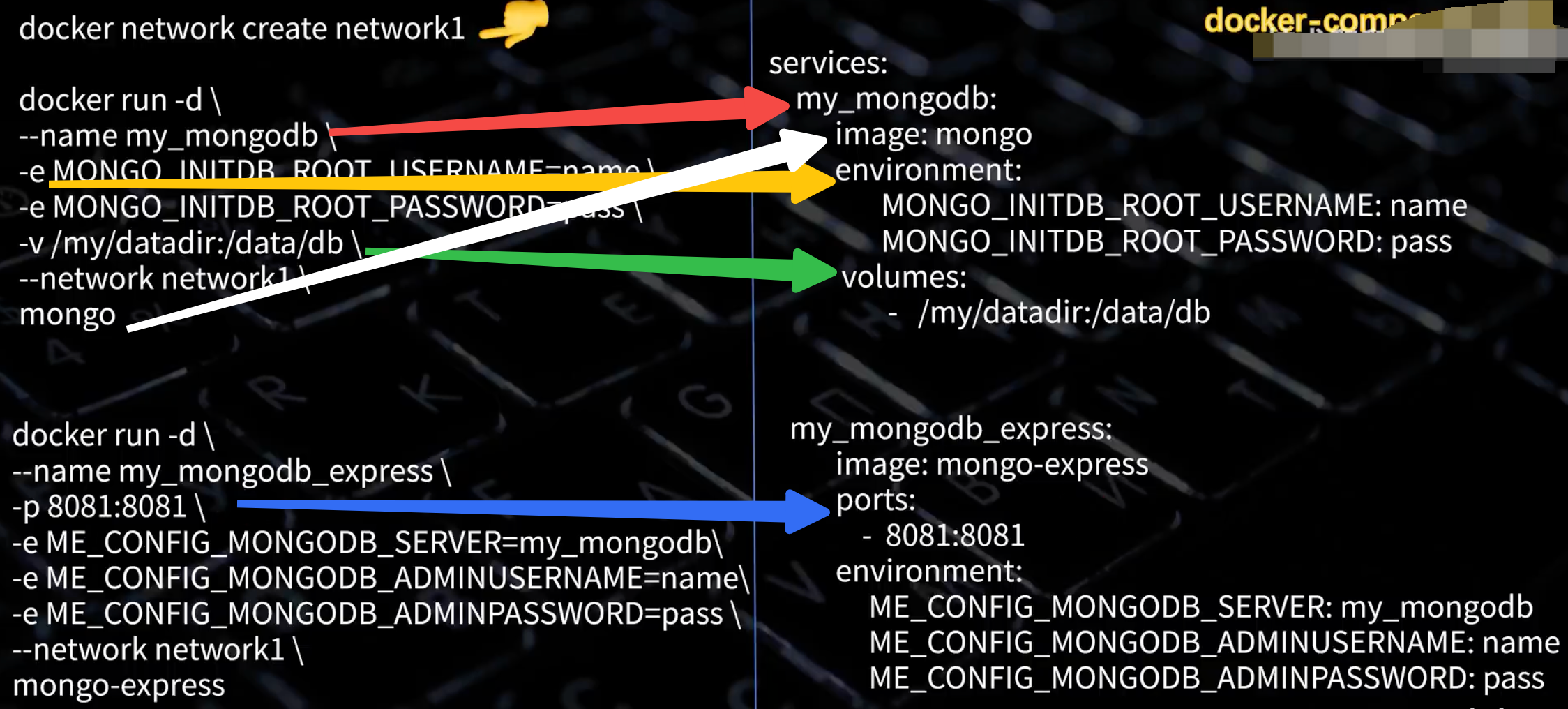
使用 Docker-Compose 启动 MySQL 实例
先启动docker (open -a Docker 或者开启客户端)
docker pull mysql:8.0
创建docker-compose.yaml1
2
3
4
5
6
7
8
9
10
11services:
mysql:
image: mysql:8.0 # 使用8.0版本的 MySQL 镜像
container_name: my-mysql # 容器名称
environment:
MYSQL_ROOT_PASSWORD: 123456 # 设置 MySQL root 用户的密码
ports:
- "3306:3306" # 将容器的 3306 端口映射到宿主机的 3306 端口
volumes:
- /data/mysql:/var/lib/mysql # 将宿主机的 /data/mysql 目录(需要提前创建,且在share file 范围内)挂载到容器的 /var/lib/mysql 目录
restart: always # 容器退出后总是重启
后台启动docker-compose up -d
进入docker 里面的mysqldocker exec -it my-mysql mysql -uroot -p123456
授权 root 用户允许远程连接
1 | -- 查看当前用户权限 |
借助可视化工具快速创建table
Navicat Premium Lite 免费版下载
注册,登录,建立链接: 链接名 my-mysql 密码 123456
新建库: 右键链接,选择新建库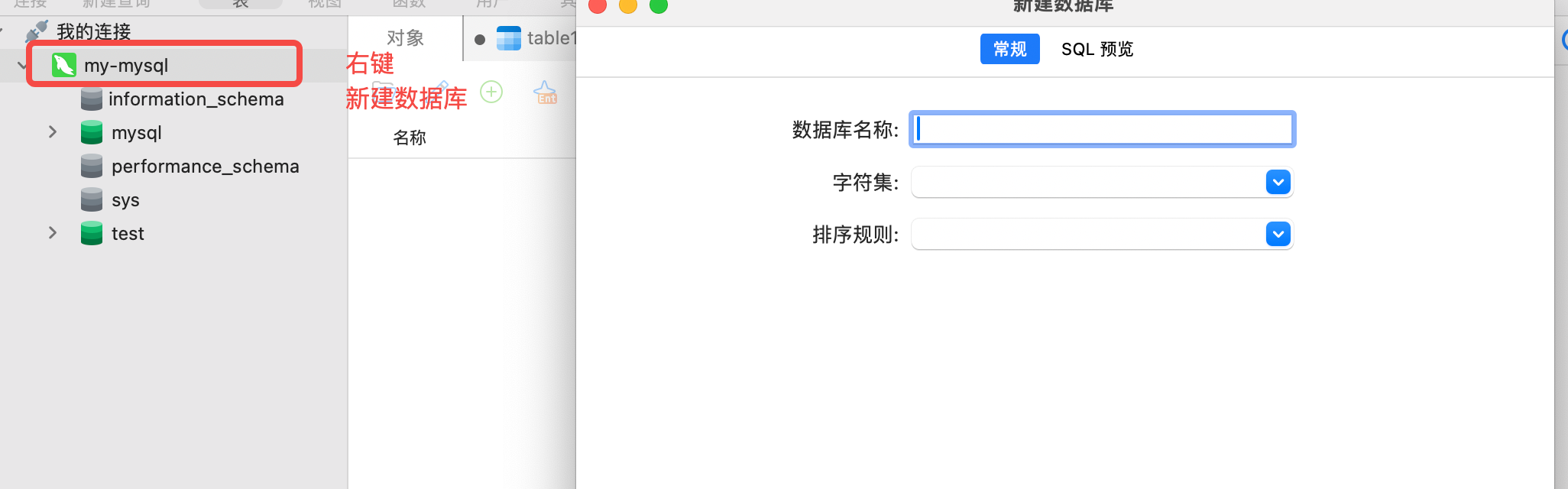
新建表:打开数据库,右键【表】,选择新建表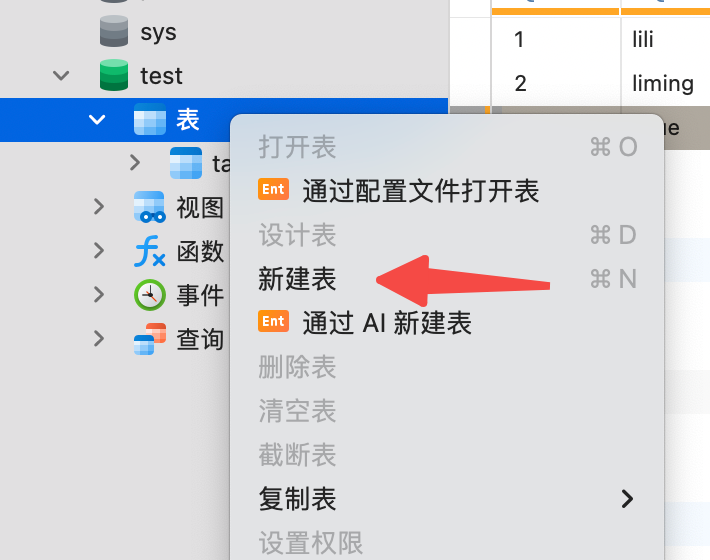
借助查询快速建表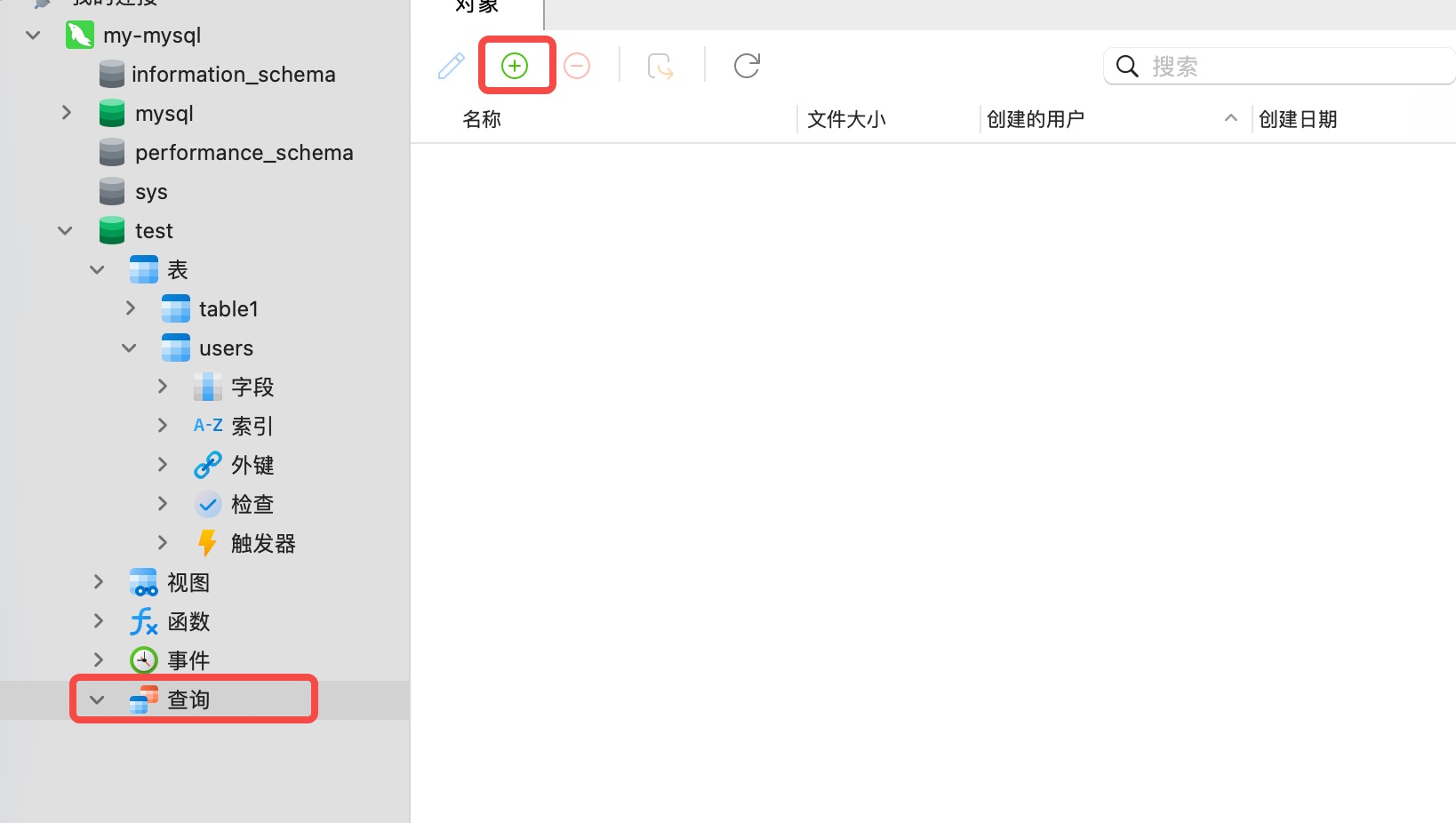
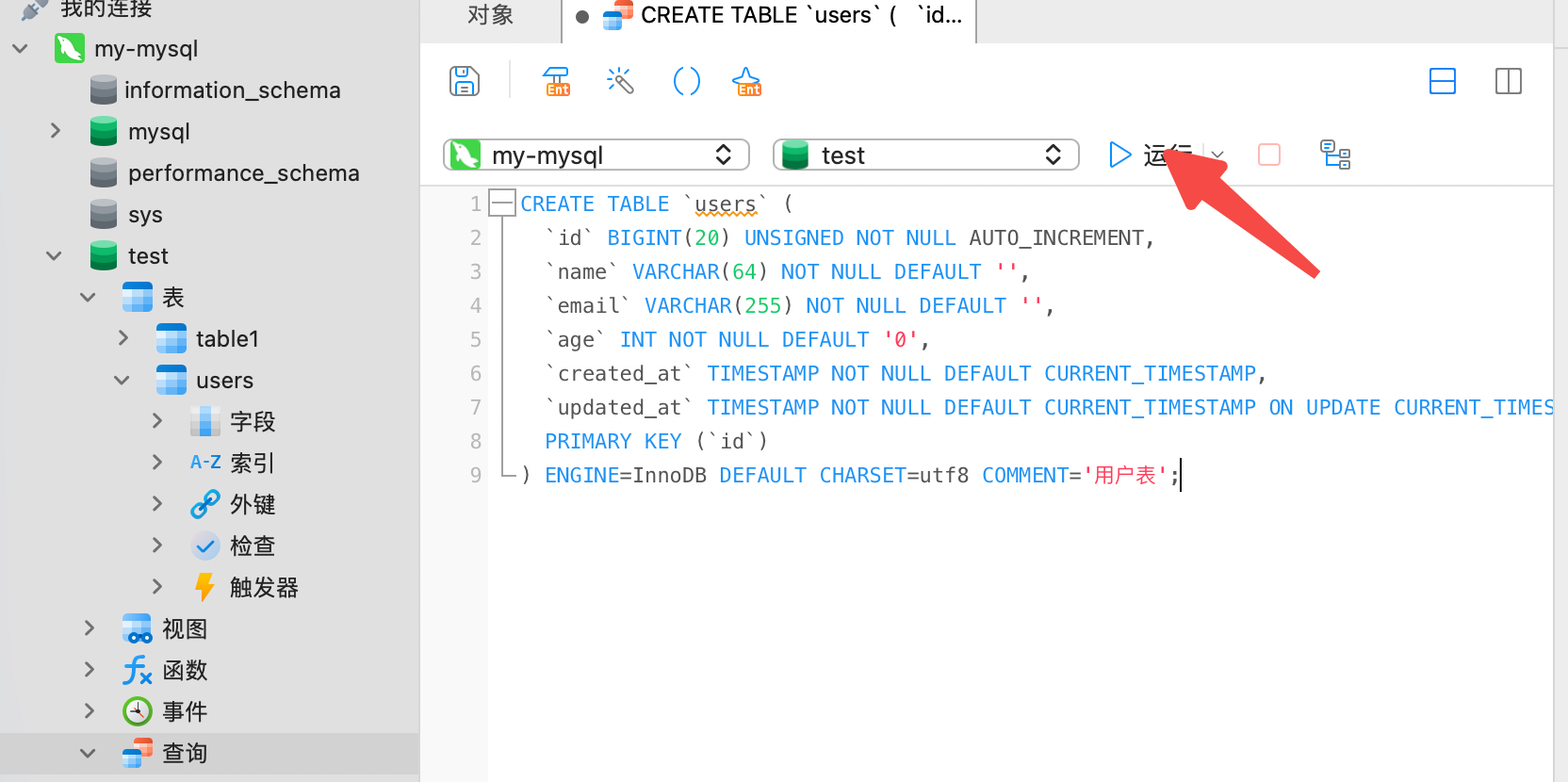
新增数据: 双击表名,点击左下角 ‘+’ 新增数据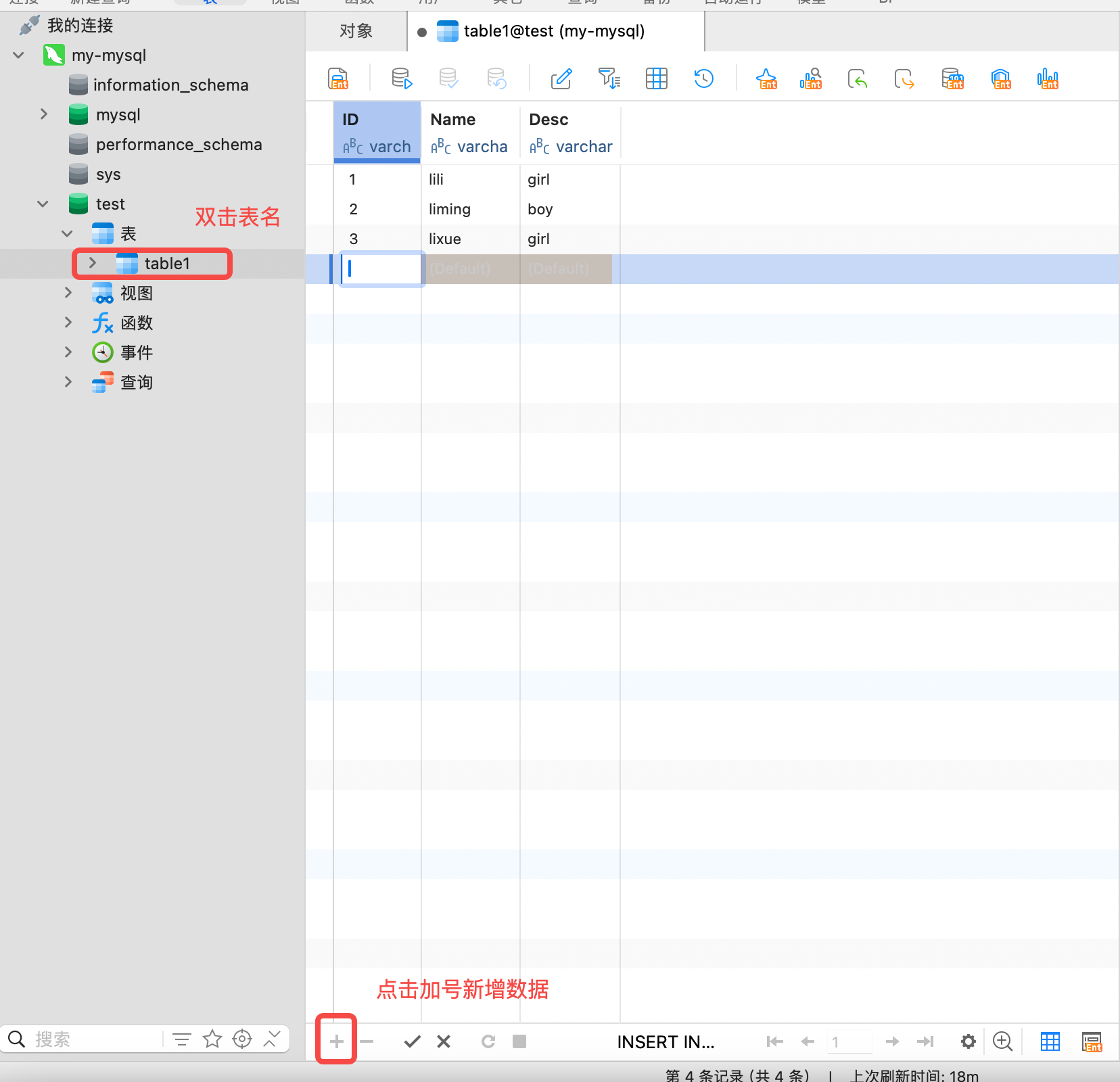
服务配置和环境变量
1. 配置简单介绍
为什么要
- 代码里写死端口、密码→换环境就要重新编译
- 运维/开发/测试三套值,必须”一份镜像,多份配置”
常见格式
- JSON:机器友好,人眼爆炸
- TOML:INI 的升级版,Go 官方偏爱
- YAML:层级清晰,最流行,云原生标配
- env 文件:只放 KEY=VALUE,适合局部覆盖
一般情况
“YAML 做默认值 + 环境变量做覆盖”:
- 本地开发直接读 YAML
- 上线时
export APP_PORT=80即可覆盖文件中的端口,无需改文件 - ETCD不同的环境,我们使用不同的etcd集群
利用docker 部署 etcdkeeper docker-compose.yaml
docker-compose -f docker-compose.yaml up
用 http://localhost:8080/etcdkeeper/ 访问页面,构建远端配置数据

配置读取借助viper
1 | func Load() error { |
GORM和Gentool介绍
GORM简介
GORM是Go语言中最流行的ORM(对象关系映射)库之一,提供友好的API来操作数据库,支持多种数据库如MySQL、PostgreSQL、SQLite等。简化数据库操作,让开发者能用面向对象的方式处理数据。
Gentool简介
Gentool是GORM官方提供的代码生成工具,它可以根据数据库表结构自动生成对应的Go模型结构体和安全的CRUD操作方法。解决GORM中手动编写模型和查询代码的繁琐问题,同时通过类型安全避免了SQL注入风险。
Gentool安装
安装命令
1 | go install gorm.io/gen/tools/gentool@latest |
记得需要将命令行加到zsh
验证安装:1
2
gentool -h
Gentool配置和使用
命令行方式
最基本的用法是通过命令行参数直接指定连接信息:
1 | gentool -dsn "user:password@tcp(localhost:3306)/database?charset=utf8mb4&parseTime=True&loc=Local" -tables "table1,table2" -outPath "./dao/query" |
配置文件方式
gen.yaml
1 | version: "0.1" |
执行 gentool -c './gen.yaml'
最佳方案
引入 makeFile 文件
1 | TOPDIR=$(shell pwd) |
只用make 命令即可
注意查找时通配符规则
| Go 写法 | 生成的 SQL | 含义 |
|---|---|---|
qs.Name.Like("张三") |
name LIKE '张三' |
精确等于张三(无通配符) |
qs.Name.Like("%aaa%") |
name LIKE '%aaa%' |
包含 aaa |
qs.Name.Like("张三%") |
name LIKE '张三%' |
以张三开头 |
qs.Name.Like("%aaa") |
name LIKE '%aaa' |
以aaa结尾 |
qs.Name.Like("张_") |
name LIKE '张_' |
张 后跟恰好 1 个字符(_ 匹配单个字符) |