基本使用
1 | from anthropic import Anthropic |
返回结果
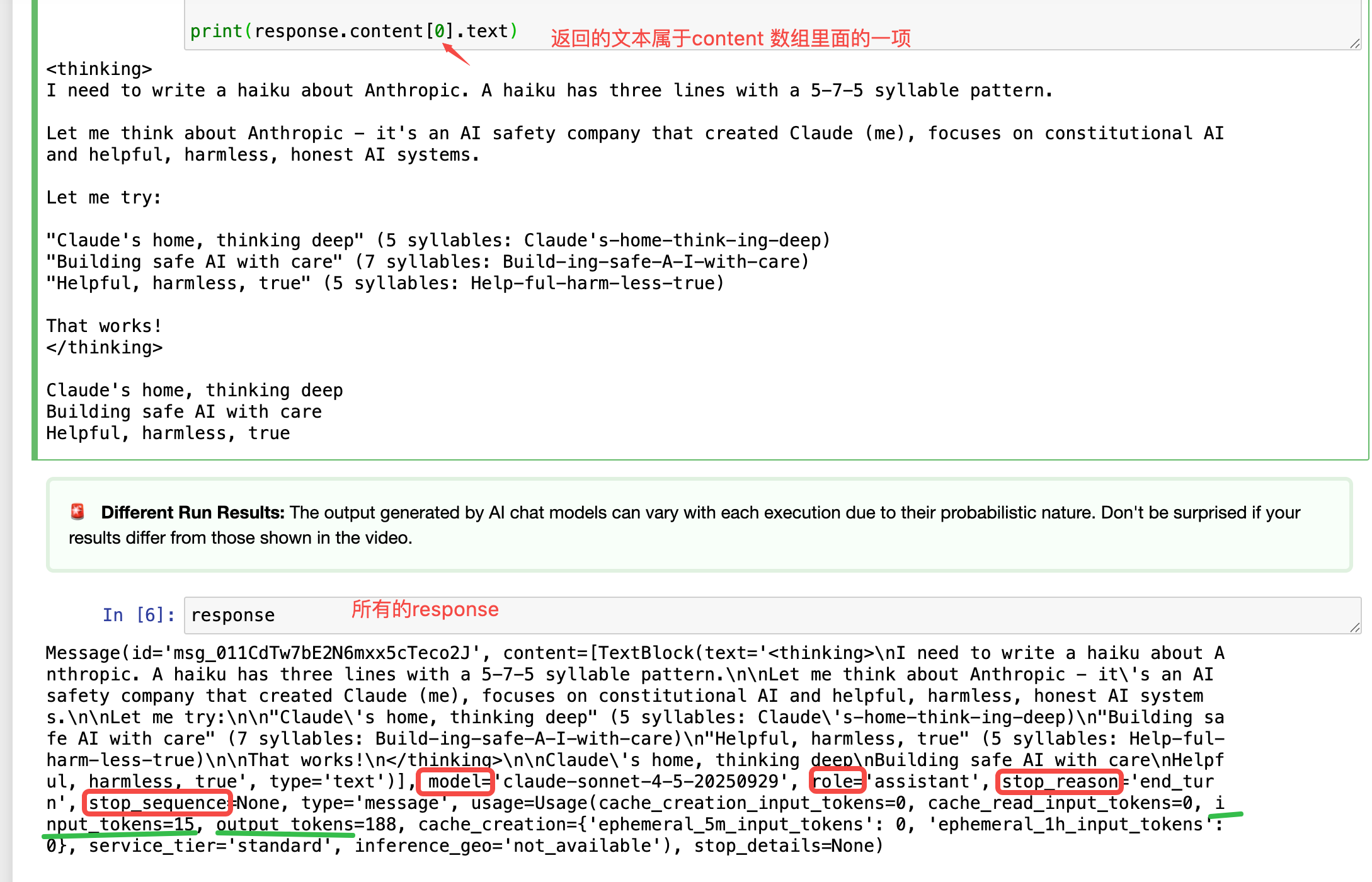
content: 消息的内容,可以是文本、图片、文件等
model: 当前使用的模型名称
role: 消息的角色,user 或 assistant assistant 消息会被自动加入,我们一般不需要自己构造
stop_reason: 停止生成的原因,可以是max_tokens、max_seconds、stop_sequence等
input_tokens: 输入的token数
output_tokens: 输出的token数
参数
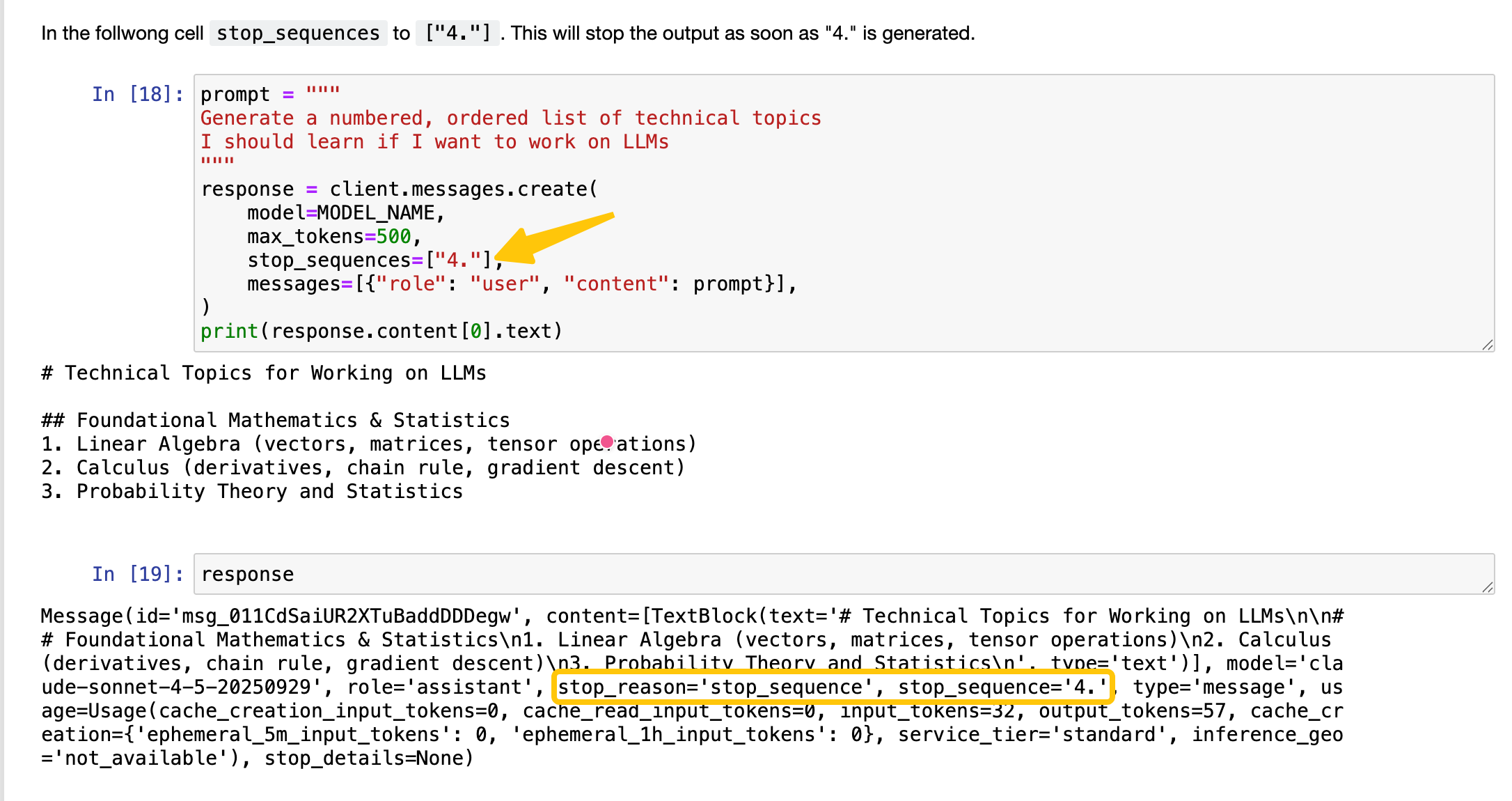
stop_sequence: 停止生成的序列,eg. \n 如果client.messages.create 有配置,当生成的内容包含 \n 时,会停止生成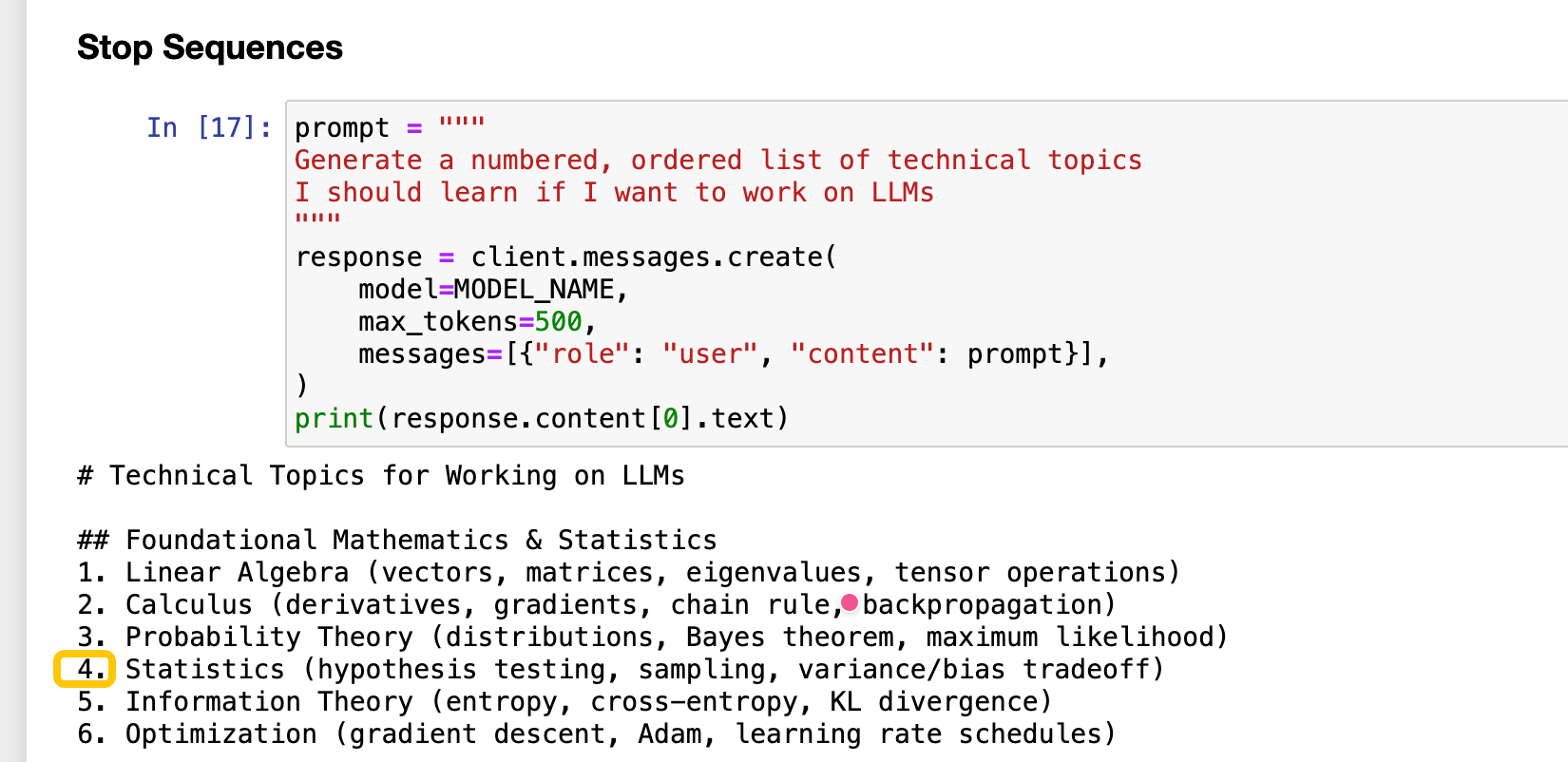
max_tokens: 生成最大长度,如果client.messages.create 有配置,当生成的内容超过 max_tokens 时,会停止生成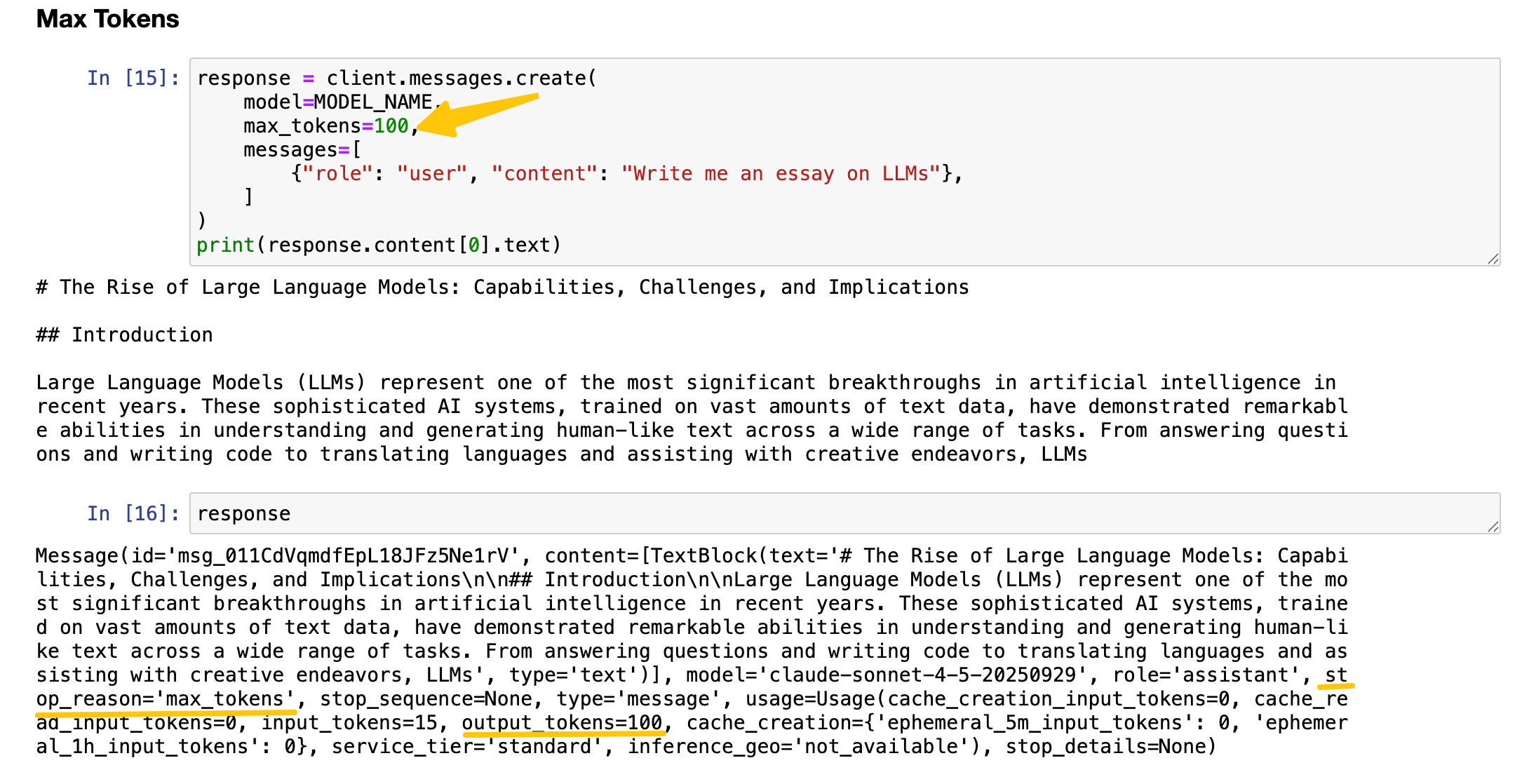
temperature: 生成结果的多样性。取值 0~1 之间,越大越散,越小越收敛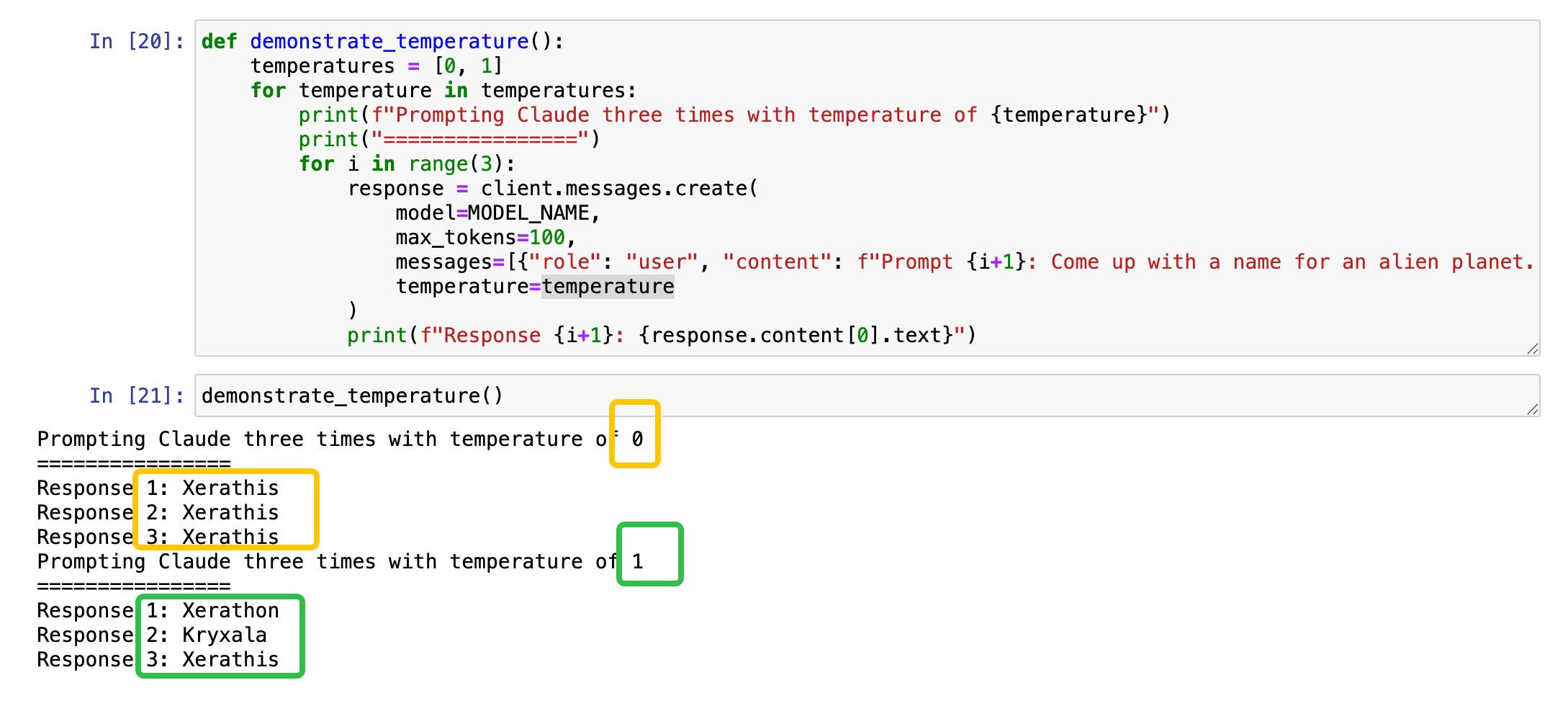
messages: 对话历史,包含用户和助手的消息,eg. [{“role”: “user”, “content”: “Write a haiku about Anthropic”}]1
2
3
4
5
6
7
8
9
10
11
12
13
14
15
16
17
18
19
20
21
22
23
24
25
26
27
28
29
30
31
32
33
34
35// 手动制造多轮对话(历史问答) 或者 Prefilling the Assistant Response (预填充助手回复)
messages=[
{"role": "user", "content": "Hello! Only speak to me in Spanish"},
{"role": "assistant", "content": "Hola!"},
{"role": "user", "content": "How are you?"}
]
// chat bot 通过循环每次自动将历史问答加入到messages 中,实现多轮对话
print("Simple Chatbot (type 'quit' to exit)")
# Store conversation history
messages = []
while True:
# Get user input
user_input = input("You: ")
# Check for quit command
if user_input.lower() == 'quit':
print("Goodbye!")
break
# Add user message to history
messages.append({"role": "user", "content": user_input})
try:
# Get response from Claude
response = client.messages.create(
model=MODEL_NAME,
max_tokens=200,
messages=messages
)
# Extract and print Claude's response
asst_message = response.content[0].text
print("Assistant:", asst_message)
# Add assistant response to history
messages.append({"role": "assistant", "content": asst_message})
except Exception as e:
print(f"An error occurred: {e}")
多模态输入
messages 数组中 content 上面都是简单的文本,通过进行类型区分和扩展,可以进行多模态输入
此时content可以传入一个列表,每个元素是一个字典,包含type 和 相应type 的数据字段1
2
3
4
5
6
7
8
9
10
11
12
13
14
15
16
17
18messages = [
{
"role": "user",
"content": [{
"type": "image", // 图片做输入 图片内容块
"source": {
"type": "base64", // 图片以base64 编码 输入
"media_type": "image/png", // 图片类型
"data": base64_string // 图片base64 字符串
},
},
{
"type": "text", // 文本做输入 文本内容块
"text": """How many to-go containers of each type
are in this image?"""
}]
}
]
通过对图片进行输入,可以实现对图片进行识别和信息提取1
2
3
4
5
6
7
8
9
10
11
12
13
14
15
16
17
18
19
20
21
22
23
24
25
26
27
28
29
30
31
32
33
34
35
36
37
38
39
40
41
42
43
44
45
46
47
48
49
50
51
52
53
54
55
56
57
58
59
60
61
62
63
64
65
66
67
68
69
70
71
72
73
74
75
76
77
78
79
80import base64
import mimetypes
# 从图片路径创建图片内容块
def create_image_message(image_path):
# Open the image file in "read binary" mode
with open(image_path, "rb") as image_file:
# Read the contents of the image as a bytes object
binary_data = image_file.read()
# Encode the binary data using Base64 encoding
base64_encoded_data = base64.b64encode(binary_data)
# Decode base64_encoded_data from bytes to a string
base64_string = base64_encoded_data.decode('utf-8')
# Get the MIME type of the image based on its file extension
mime_type, _ = mimetypes.guess_type(image_path)
# Create the image block
image_block = {
"type": "image",
"source": {
"type": "base64",
"media_type": mime_type,
"data": base64_string
}
}
return image_block
# 创建messages
messages = [
{
"role": "user",
"content": [
create_image_message("./images/invoice.png"),
{"type": "text", "text": """
Generate a JSON object representing the contents # 提取图片中的信息,生成一个JSON对象
of this invoice. It should include all dates,
dollar amounts, and addresses.
Only respond with the JSON itself.
"""
}
]
}
]
response = client.messages.create(
model=MODEL_NAME,
max_tokens=2048,
messages=messages
)
print(response.content[0].text)
=====>
```json
{
"invoice": {
"invoice_number": "INV-2024-0042",
"invoice_date": "March 17, 2025",
"due_date": "April 16, 2025",
"vendor": {
"company_name": "ACME CORPORATION",
"address": {
"street": "123 Business Avenue",
"city": "Silicon Valley",
"state": "CA",
"zip": "94025"
},
"email": "accounts@acmecorp.com"
},
"bill_to": {
"address": {
"street": "789 Market Street, Suite 500",
"city": "Los Angeles",
"state": "CA",
"zip": "90015"
}
},
...
}
}
流式输出
使用client.messages.stream 方法可以实现流式输出
1 | with client.messages.stream( |
提示词
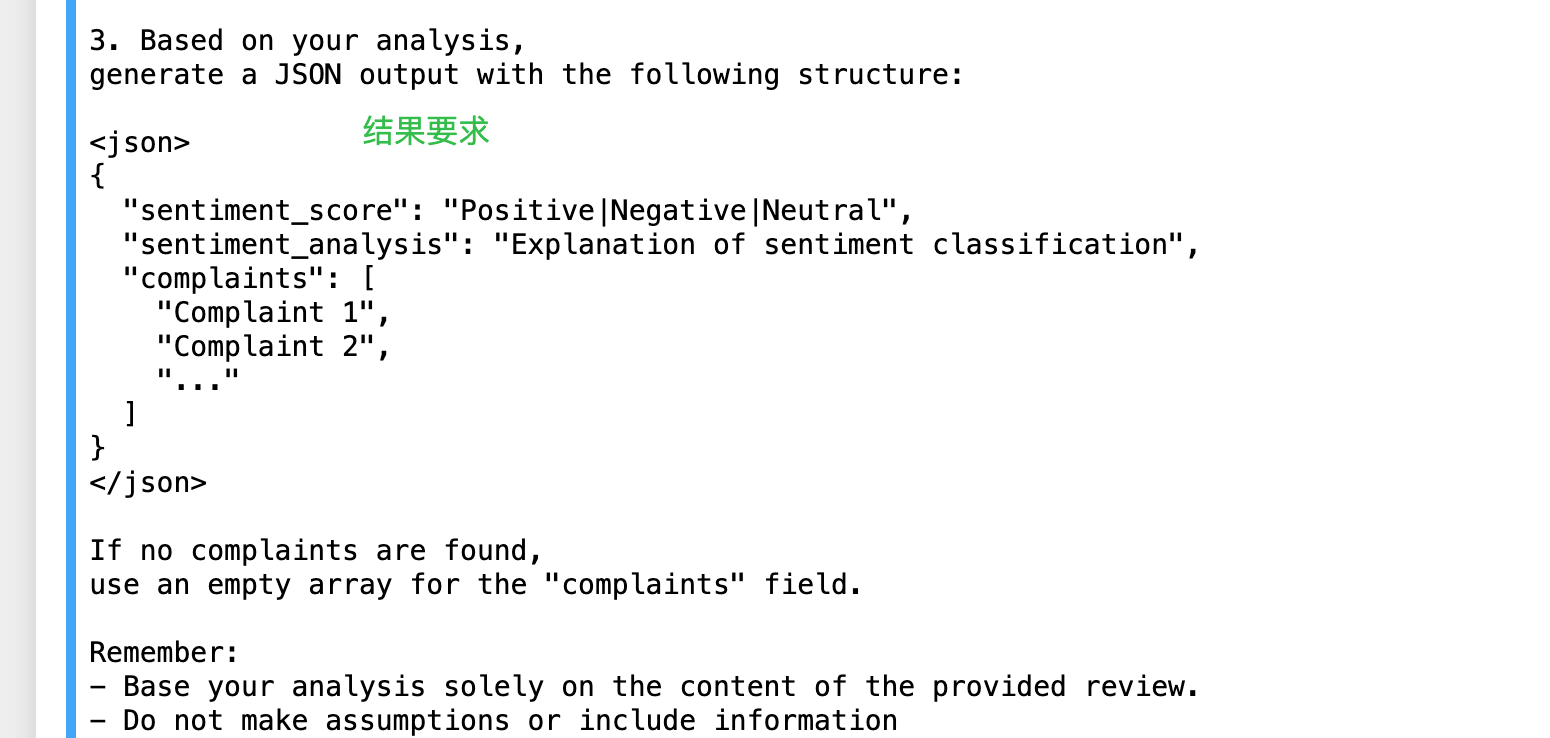
关键步骤
- 设置角色,背景,功能概述
- 制作模版
- 添加思考过程
- 阐述结果要求和注意事项
- 添加示例,包含尽可能多的场景,覆盖不同的输入情况
可以分步声明载组合起来1
2
3
4
5
6
7
8
9
10
11
12
13
14
15
16
17
18
19
20
21
22
23
24
25
26
27
28
29
30
31
32
33
34
35
36
37
38
39final_prompt = f"""
{setting_the_role}
{instruction_pt1}
{instruction_pt2}
{instruction_pt3}
"""
import re
def get_review_sentiment(review):
#Insert the context into the prompt
prompt = final_prompt.replace("{{CUSTOMER_REVIEW}}", review)
# Send a request to Claude
response = client.messages.create(
model=MODEL_NAME,
max_tokens=2000,
messages=[
{"role": "user", "content": prompt}
]
)
output = response.content[0].text
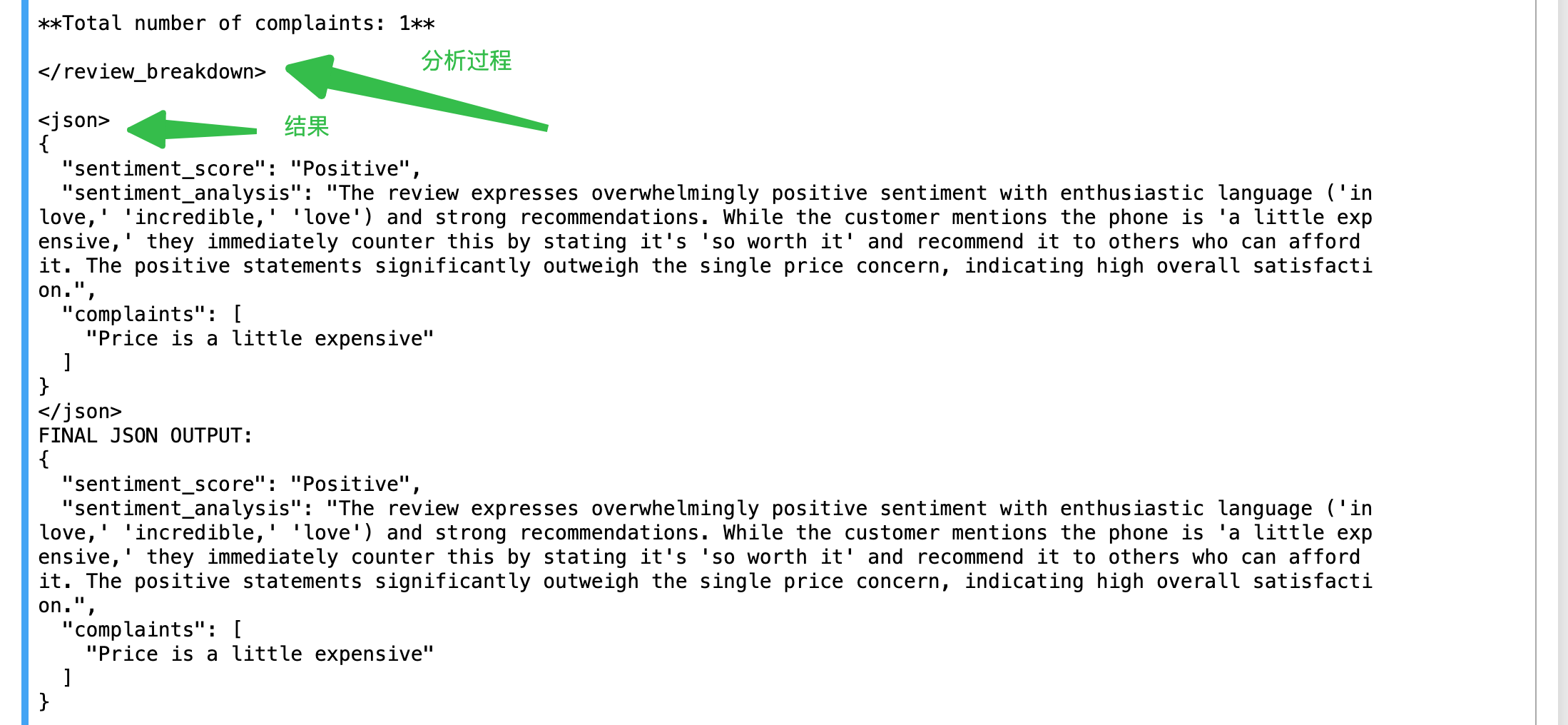
print("ENTIRE MODEL OUTPUT: ")
print(output)
sentiment = re.search(r'<json>(.*?)</json>', output, re.DOTALL) // 从模型输出中提取json
if sentiment:
print("FINAL JSON OUTPUT: ")
print(sentiment.group(1).strip())
else:
print("No sentiment analysis in the response.")
review1 = """
I am in love with my Acme phone. It's incredible.
It's a little expensive, but so worth it imo.
If you can afford it, it's worth it!
I love the colors too!
"""
get_review_sentiment(review1)
prompt cache
通过在content block 中添加 cache_control 字段,可以控制是否使用缓存
当开启缓存时,当前content block 将被缓存,并在下次请求中作为缓存命中,从而节省计算资源。
开启缓存时写入要比普通token提问,要贵一些,但是在后续提问中会大幅提升响应速度
Cache write tokens are 25% more expensive than base input tokens
Cache read tokens are 90% cheaper than base input tokens
Regular input and output tokens are priced at standard rates
1 | messages=[ |
通过在多轮对话中一般会在每次提问时添加缓存设置,这样提问时就是写入缓存的过程,后续再提问时如果命中就是读缓存的过程,提高响应速度
缓存有ttl, 一般5分钟,如果缓存命中,则重新设置缓存时间
这样如果下一轮提问能命中当前提问的缓存,就可以直接从缓存中读取,快速获取到上一次的提问历史,进行速度提升,每一轮都这样就可以提升整体多轮会话速度
tool
tool schema 定义1
2
3
4
5
6
7
8
9
10
11
12
13
14
15
16
17
18
19{
"name": "get_user",
"description": "Looks up a user by email, phone, or username.",
"input_schema": {
"type": "object",
"properties": {
"key": {
"type": "string",
"enum": ["email", "phone", "username"],
"description": "The attribute to search for a user by (email, phone, or username)."
},
"value": {
"type": "string",
"description": "The value to match for the specified attribute."
}
},
"required": ["key", "value"]
}
}
实际调用
1 | def process_tool_call(tool_name, tool_input): |